A digital wedding invitation your guests answer on WhatsApp
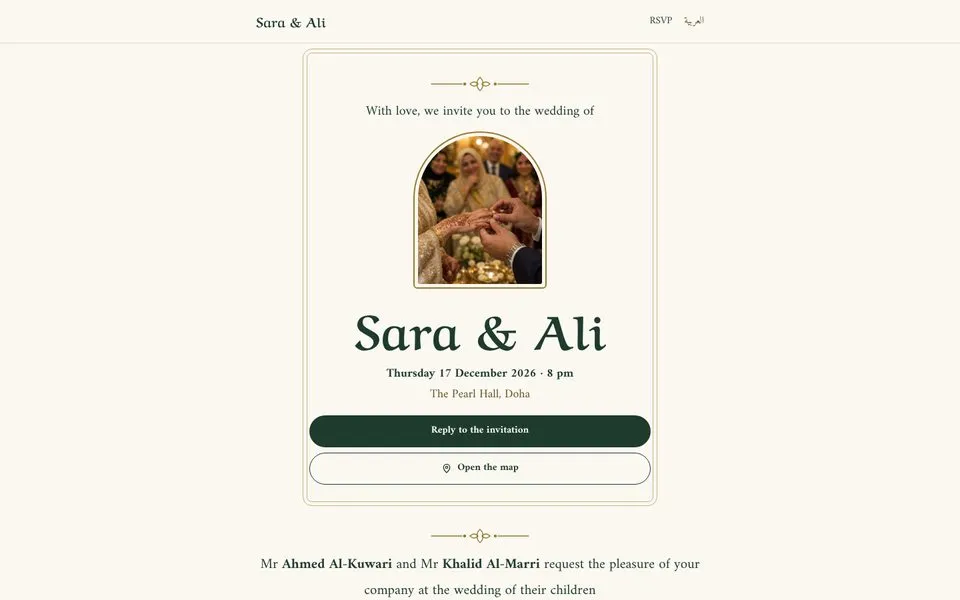
A digital wedding invitation is a web page you share as one link, with the couple’s names, the date, the venue on a map and a way to RSVP. On hilm you make one from the Farah template: add the names, date, venue and a WhatsApp number, pick a look, publish and send the link.
Free with the “Made with hilm” badge. No card needed.
 (opens in a new tab)
Your invitation in three steps
- 1
Add the details
The couple’s names, the date and time, the venue and its map link, and the WhatsApp number replies should go to.
- 2
Pick a look
Six looks for the same invitation. Switch any time in Design without retyping a word.
- 3
Publish and share the link
Publish on name.hilm.ai, then send the link in a WhatsApp chat, a group or a broadcast list.
Pick the look that feels like your day
Every look has the same sections and words. Only the colors, type and ornament change.
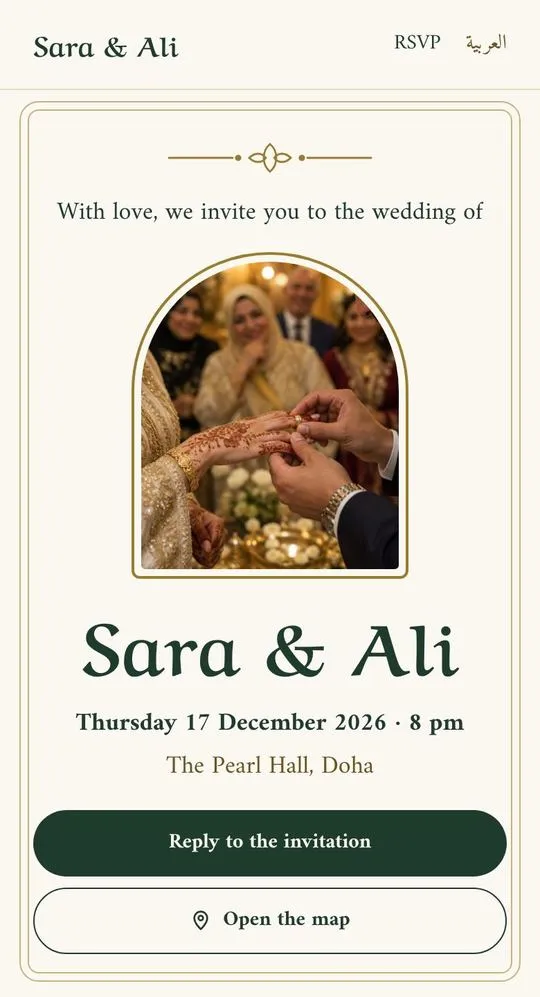
Classic
A double frame, gold ornament and Ruqaa script.
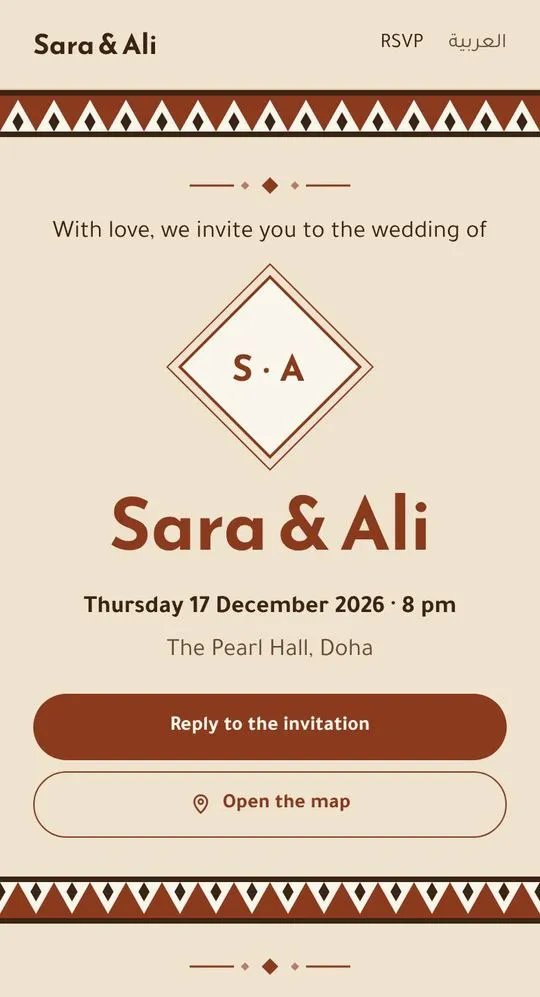
Najdi
Sadu weave and the couple’s initials in a diamond. Made for a katb kitab.
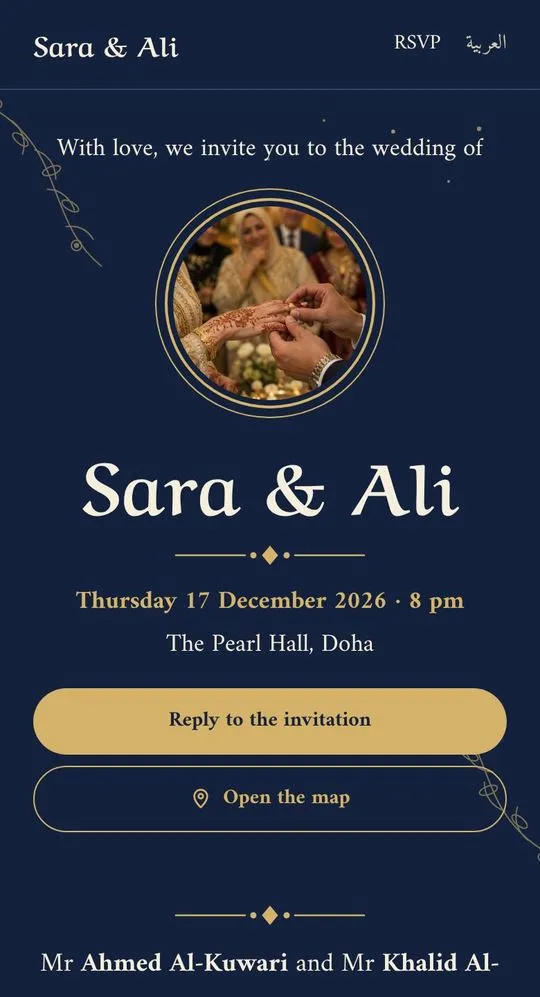
Night garden
Midnight blue with gold vines and stars.
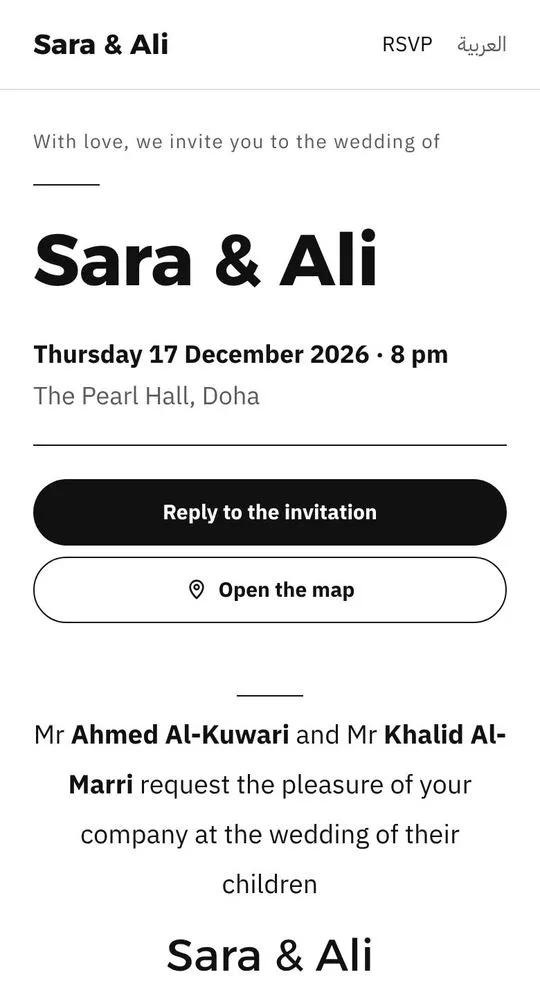
Minimal
Black on white, with the names set large.
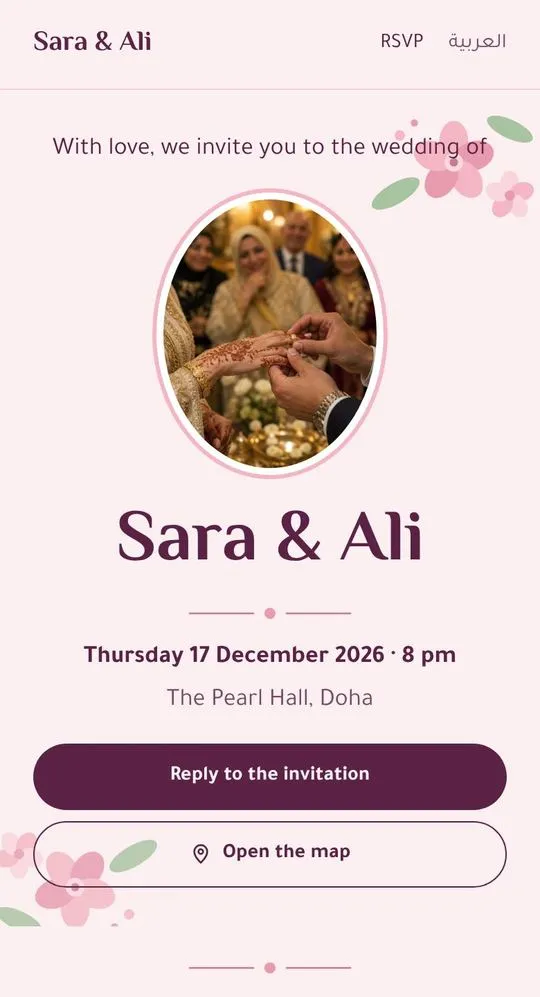
Floral
Pink flowers and El Messiri type. Made for an engagement.
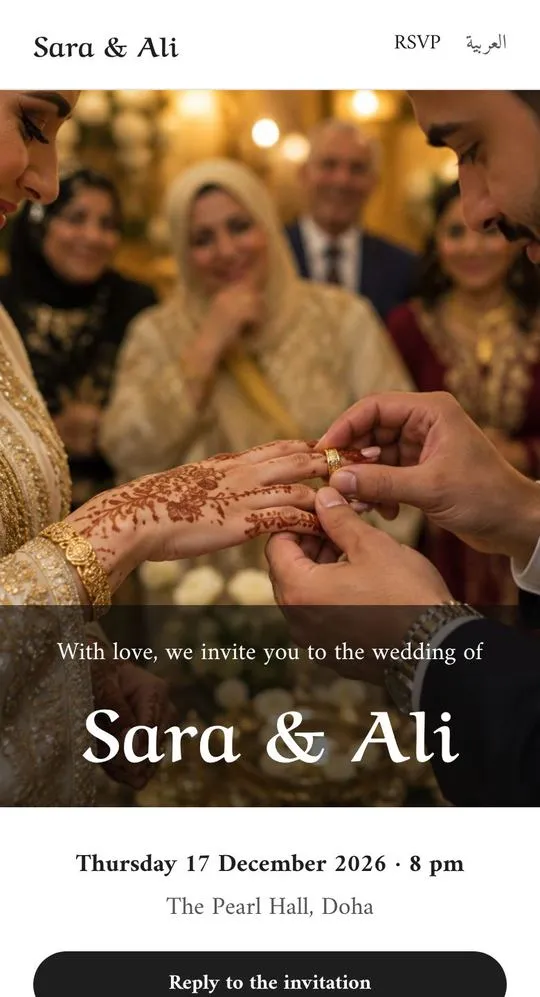
Photo
Your photo edge to edge, with your names over it.
What guests can do from the link
RSVP on WhatsApp
Guests fill in their name, whether they can come, how many are coming and a note, and WhatsApp opens with the reply ready to send to you.
Find the venue
A button opens the venue in Google Maps, with one for the men’s hall and one for the women’s if they differ.
Add it to their calendar
One tap adds the date and place to Google Calendar.
Any phone, no app
The invitation opens in the phone’s browser. Guests don’t download anything or sign up.
Weddings, engagements and katb kitab
Wedding
The names, the families’ line, the evening’s programme, men’s and women’s halls and notes for guests.
Engagement
Change the wording to an engagement party and try the Floral look.
Katb kitab
Word it for the marriage contract ceremony and try the Najdi look.
Aqiqah
A newborn has a template of its own: the baby’s name in Ruqaa script, the date, the venue and RSVP.
Open the Aqiqah template(opens in a new tab)
Printed cards and an invitation link
| Printed card | Invitation link from hilm | |
|---|---|---|
| Reaches | Whoever gets a card | Anyone you send the link to |
| If the date or venue changes | Reprint and hand out again | Edit and republish, same link |
| Getting there | An address on the card | A Google Maps button |
| RSVPs | Calls and scattered messages | Replies on WhatsApp with names and numbers |
| Cost | Printing every card | Free with the “Made with hilm” badge |
Frequently asked questions
What is a digital wedding invitation?
A web page shared as one link that takes the place of a printed card: the couple’s names, the date, the venue and a button to RSVP. Guests open it from WhatsApp on any phone.
How do I make a wedding invitation website with RSVP?
Start from the Farah template on hilm, add the names, date, venue and a WhatsApp number, pick one of six looks, then publish and send the link.
How do guests RSVP?
Through a short form on the invitation: their name, whether they can come, how many are coming and an optional note. When they send it, WhatsApp opens with the reply to your number, so it arrives as an ordinary message.
Can I send the invitation on WhatsApp?
Yes. After publishing, copy the link and send it in a chat, a group or a broadcast list. Guests tap it and see the whole invitation.
Do guests need an app or an account?
No. The invitation opens in the phone’s browser, and guests reply from the WhatsApp they already have.
Is the digital invitation free?
Yes. Publish it free on name.hilm.ai with no card, and it shows the “Made with hilm” badge. Pro removes the badge and adds your own domain and Arabic and English together.
Can I list separate men’s and women’s halls?
Yes. Each hall gets its own card with its name, its time and a button that opens it on the map.
Can I change the invitation after sending it?
Yes. Edit it and publish again. The link stays the same, so guests see the change next time they open it.
Does it work for an engagement or a katb kitab?
Yes. The same template works for weddings, engagements and katb kitab: change the wording and pick the look that suits the occasion.
Do you keep my guests’ details?
No. A guest’s reply goes straight to WhatsApp. We don’t keep their name, their number or what they wrote.
The Farah template
Sara and Ali’s invitation in Doha: open it the way a guest sees it, then start yours from it.
Make your invitation and send it today
Add the names, the date and the venue, pick a look and share the link.